Your office copier is one of the hardest-working pieces of technology in your workplace. From proposals and invoices to contracts, HR paperwork, and scanned records, today’s multifunction copiers support some of the most important workflows in the office.
The problem is that most businesses do not think about copier repair until the device stops working. For Long Island businesses that rely on fast, secure document workflows, even a few hours of copier downtime can slow productivity, frustrate employees, delay customer service, and create unexpected costs.
That is why many organizations are taking a smarter approach to copier repair on Long Island. Instead of waiting for repeated breakdowns, they are using preventative copier maintenance, local copier service, and Managed Print Services to reduce downtime and prevent common issues before they interrupt the workday.
Why Copier Reliability Matters More Than Ever
Today’s multifunction printers do far more than print documents.
Modern office copiers are more technologically advanced than ever. They often include features and capabilities such as scanning directly to cloud storage, sending secure emails, integrating directly with Microsoft 365, managing workflows, storing confidential information, and supporting remote employees.
When these systems fail, entire departments can become less productive.
For many Long Island businesses, copier downtime means:
- Employees waiting to print critical documents
- Delayed customer service
- Missed deadlines
- Increased IT requests
- Lost productivity
- Unexpected repair expenses
That makes preventative copier maintenance a business investment, not just a repair strategy.
The Most Common Copier Problems
Businesses face hiccups with technology nearly every day. Since office copiers are a complex piece of your office infrastructure, there are many things that can malfunction throughout busy workdays.
At DRP Solutions, we receive dozens of service calls from our customers daily. Let’s examine the most common copier problems and how Long Island businesses prevent them from disrupting their workflows.
Paper Jams
Paper jams are the most common reasons businesses call for copier service. While an occasional jam is normal, recurring paper jams often indicate an underlying issue that should be addressed. Left unresolved, they can interrupt workflows, frustrate employees, and reduce office productivity.
Common Causes
- Worn paper feed rollers
- Using the wrong paper weight or type
- Damp or improperly stored paper
- Dirty paper paths
- Overloaded paper trays
- Damaged internal components
How Long Island Businesses Prevent Paper Jams
Businesses reduce paper jams by implementing routing preventative maintenance and using high-quality office paper. Regular cleaning of paper paths, replacing worn rollers before failure, and storing paper in a climate-controlled environment all help minimize interruptions. Managed Print Services also allow technicians to identify wear before it causes daily disruption.
Poor Print Quality
Nothing reflects poorly on a business like faded proposals, streaked presentations, or blurry contracts. Print quality issues often develop gradually, making them easy to overlook until they begin affecting professionalism and customer perception.
Common Causes
- Worn imaging drums
- Dirty print heads
- Low-quality toner
- Transfer belt wear
- Incorrect print settings
- Calibration issues
How Businesses on Long Island Prevent Poor Print Quality
Routine copier maintenance keeps imaging components clean and properly calibrated. Businesses also benefit from using a genuine manufacturer toner and replacing consumable parts on schedule. Preventative inspections catch declining print quality before employees or customers notice the difference.
Slow Printing Speeds
Slow printing can significantly impact employee productivity, especially in busy offices where multiple users rely on shared multifunction devices. While many assume an aging copier is to blame, slow performance is often caused by network or configuration issues.
Common Causes
- Large print queues
- Network congestion
- Outdated firmware
- Driver compatibility issues
- Insufficient copier memory
- Incorrect print settings
How Long Island Businesses Prevent Slow Printing
Businesses improve print speeds by keeping firmware updated, optimizing print drivers, and regularly monitoring network performance. Managed Print Services also help balance print workloads across multiple devices, ensuring employees spend less time waiting for documents.
Running Out of Toner
Few things are more frustrating than discovering an empty toner cartridge moments before an important meeting. Manual toner management often results in unnecessary downtime and emergency supply orders.
Common Causes
- No supply monitoring
- Delayed ordering
- Overstocking incorrect cartridges
- Poor inventory management
- Multiple printer models requiring different supplies
How Long Island Businesses Prevent Toner Shortages
Managed Print Services automatically monitor toner levels and ship replacement cartridges before they run out. This eliminates emergency orders, reduces inventory costs, and ensures employees always have the supplies they need without managing toner themselves.
Scanning Problems
As businesses continue moving toward digital workflows, scanning has become just as important as printing. When scanning functions fail, document management processes slow down and collaboration suffers.
Common Causes
- Network connectivity issues
- Email authentication errors
- Incorrect scan destination settings
- Cloud integration failures
- Outdated firmware
- File size limitations
How Long Island Businesses Prevent Scanning Issues
Regular firmware updates, proper network configuration, and ongoing monitoring help ensure scan-to-folder and cloud integrations remain reliable.
Network Connectivity Issues
Today’s multifunction copiers are connected devices that rely on stable network communication. When connectivity problems occur, employees may lose access to printing, scanning, and document-sharing capabilities.
Common Causes
- IP address conflicts
- Firewall restrictions
- Network configuration changes
- Wi-Fi instability
- Outdated firmware
- DNS or server issues
How Long Island Businesses Prevent Network Issues
Businesses work with copiers and IT providers to ensure printers remain properly configured and monitored. Regular firmware updates, network health checks, and coordinated IT support help prevent connectivity disruptions before they impact daily operations.
Copier Security Risks
Modern copiers store sensitive information including scanned documents, user credentials, and network settings. Without proper security measures, they can become an overlooked vulnerability within an organization’s IT infrastructure.
Common Causes
- Outdated firmware
- Weak administrator passwords
- Unencrypted hard drives
- Open network ports
- Lack of user authentication
- Failure to erase stored data
How Long Island Businesses Prevent Security Risks
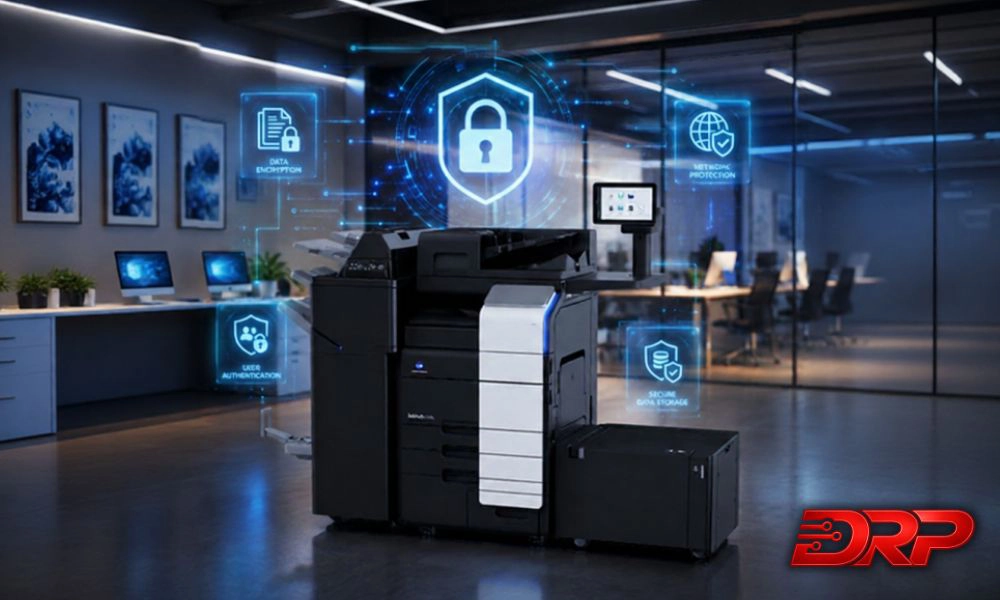
Businesses secure their copiers by enabling encryption, requiring user authentication, regularly updating firmware, and securely erasing stored information. Many organizations also include multifunction devices within their overall cybersecurity strategy to ensure every connected device is protected.
Unexpected Equipment Breakdowns
Unexpected copier failures can halt business operations with little warning. While some wear is unavoidable, many major repairs result from components reaching the end of their service life without being replaced.
Common Causes
- Worn feed rollers
- Aging fuser assemblies
- Damaged transfers belts
- High print volumes
- Lack of preventative maintenance
- Delayed service
How Long Island Businesses Prevent Equipment Failures
Routine preventative maintenance identifies worn components before they fail. Scheduled inspections and timely replacement of high-wear parts significantly reduce emergency service calls while extending the life of office equipment.
Rising Printing Costs
Many organizations underestimate how much they’re spending on printing each year. Hidden expenses such as wasted toner, inefficient deices, unnecessary color printing, and excessive service calls can quietly increase operational costs.
Common Causes
- Excessive color printing
- Personal printing
- Aging equipment
- Multiple printer brands
- Unmanaged supply ordering
- Frequent emergency repairs
How Long Island Businesses Reduce Printing Costs
Managed Print Services provide detailed reporting on print usage, helping businesses identify waste and optimize their printer fleet. Standardizing equipment, implementing print policies, and automating supply management can significantly reduce total printing expenses.
Aging Copier Technology
Older copiers may still function, but they often lack speed, security, and workflow capabilities needed by today’s businesses. As technology evolves, outdated equipment can limit productivity and increase maintenance costs.
Common Causes
- Older hardware
- Limited cloud connectivity
- Unsupported firmware
- Missing security features
- Slower processors
- Increased component wear
How Long Island Businesses Stay Ahead
Businesses regularly evaluate whether their current copier fleet supports modern workflows. Upgrading to newer multifunction devices provides improved security, faster performance, cloud integration, mobile printing, and lower operating costs, while reducing the risk of unexpected downtime.
The Role of Preventative Copier Maintenance
Preventative maintenance is one of the most effective ways to reduce copier downtime. Instead of waiting for equipment to fail, technicians inspect and replace components during scheduled visits.
Benefits include:
- Longer equipment lifespan
- Better print quality
- Fewer emergency repairs
- Reduced downtime
- Lower repair costs
- Improved employee productivity
Routing services also ensures firmware updates and security patches are applied promptly.
How Managed Print Services Prevent Copier Problems
Many Long Island businesses have moved beyond reactive copier repairs.
Instead, they’re using Managed Print Services (MPS) to proactively manage their entire print environment. Managed Print Services typically include:
Proactive Monitoring
Devices are monitored remotely for errors, supply levels, and maintenance needs.
Automated Toner Fulfillment
Supplies arrive before employees realize they’re running low.
Preventative Maintenance
Routine inspections reduce unexpected failures.
Fleet Optimization
Businesses ensure every department has the right equipment for its workload.
Usage Reporting
Detailed analytics identify waste and opportunities to reduce printing costs.
Security Management
Print devices remain updated with the latest security patches and best practices.
Why Local Copier Service Matters
When a copier goes down, waiting days for service isn’t an option.
Working with a local Long Island provider means:
- Faster response times
- Local technicians
- Familiarity with regional businesses
- Personalized support
- Preventative maintenance programs
- Ongoing technology recommendations
Instead of treating copier service as a one-time repair, businesses receive long-term support that keeps operations running smoothly.
Why Businesses Across Long Island Choose DRP
At DRP, we understand that your copier is much more than just a printer. It’s a critical part of your business operations.
For more than a decade, we’ve helped organizations throughout Long Island and the Tri-State area improve productivity with reliable copier solutions, proactive service, and comprehensive managed print strategies.
Our team provides:
- Local copier service and support
- Preventative maintenance
- Managed Print Services
- Konica Minolta multifunction devices
- Production printing solutions
- Automated supply replenishment
- Secure print management
- Ongoing fleet management
Rather than waiting for equipment to fail, we help businesses prevent problems before they impact productivity.
Prevent Problems. Improve Productivity. Print Smarter.
Copier problems are inevitable, but constant copier problems are not.
Paper jams, poor print quality, network issues, toner shortages, and unexpected breakdowns can all be minimized through proactive maintenance and Managed Print Services. Businesses across Long Island are shifting away from reactive repairs toward smarter print management strategies that reduce downtime, lower costs, and improve workplace efficiency.
If your office is experiencing frequent copier issues, it may be time to evaluate whether your current equipment and service strategy meet your needs. The right technology partner doesn’t just repair copiers. They help your business work smarter every day.
Contact DRP Solutions for a free print assessment and get started improving your company’s workflows.
FAQs
Businesses often need copier repair because of paper jams, poor print quality, slow printing, toner issues, scanning errors, network connectivity problems, worn parts, or outdated firmware. Many of these problems can be reduced with routing maintenance, proper supply management, and proactive monitoring.
Your office copier may need repair if it jams repeatedly, produces streaked or faded prints, scans inconsistently, runs slowly, displays frequent error codes, loses network connection, or requires repeated service calls. If the same problem keeps returning, the issue should be inspected before it causes more downtime.
Copier repair may make sense when the device is newer, parts are available, and the issue is isolated. Replacement may be better when repairs become frequent, print quality declines, security features are outdated, or the copier no longer supports your office’s volume, workflow, or connectivity needs.
Businesses can prevent frequent copier repairs through routine maintenance, firmware updates, supply monitoring, proper paper storage, print driver updates, network checks, and timely replacement of worn parts. Managed Print Services can also help by monitoring devices and identifying issues before they interrupt the workday.
DRP Solutions provides local copier service and support for businesses across Long Island and the Tri-State area. DRP helps organizations reduce copier downtime through responsive service, preventative maintenance, fleet optimization, and support for multifunction office devices.